

Eagle Plus
THE HUB
Guides, videos and answers to help your club get the most from Eagle Plus.
Welcome to The Hub — your central resource for Eagle Plus guides, how-to videos and frequently asked questions. Here you’ll find everything you need to manage and update your Eagle Plus platform with confidence.
How to use
Eagle Plus
Watch our instructional video to see features and to learn more…
The FEATURES
AT A GLANCE
Course Ratings
Handicap Calculator
Local Rules
Club Information
Course Guide & Pin Positions
Setting and Adjusting Dynamic Pin Positions
Follow these steps to update pin positions for your course guide on Eagle Plus.
Go to the Course Guide tab on your Eagle Plus home screen.
Scroll down and click Admin Login below the map.
Enter the email and password you have been provided.
Select the Pins button at the top of the page.
Scroll down and click Edit Pin Position.
IMPORTANT: Click Save Pin Positions to update the flag location and measurements.
Repeat for each hole.
Changes are applied instantly.
Edit Pin Position Settings
Show This Pin – Yes / No
Turn the flag icon on or off.
Position the Pin
Click anywhere on the map to place the flag.
Show Measurements – Yes / No
Display or hide the measurements at the top of the map.
Enter Measurements (all in yards)
Green Depth
Pin On
Left / Right / Centre
Please note: On mobile devices, scroll the page using the right-hand side of the screen.
Frequently Asked Questions
-
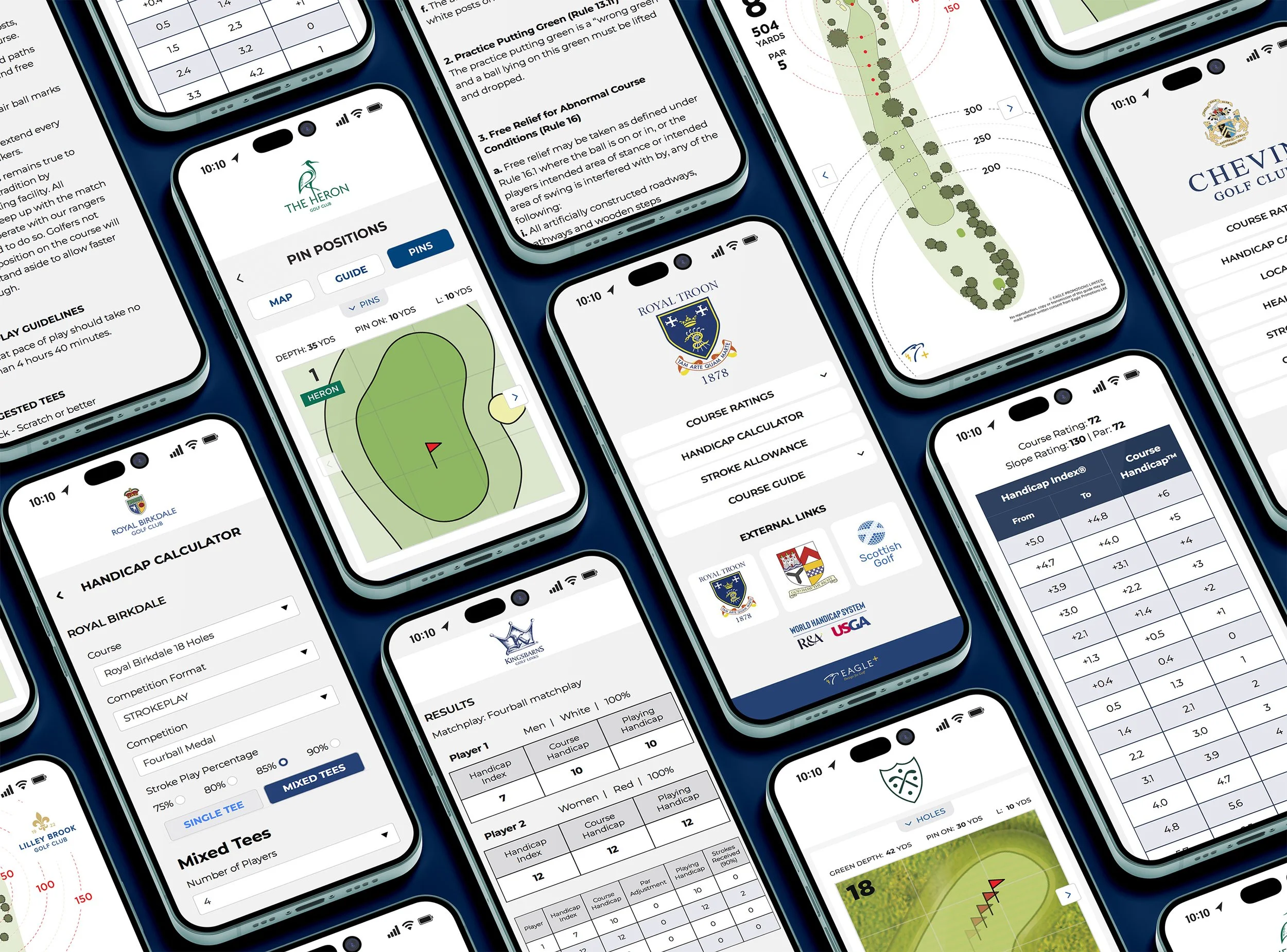
Eagle Plus is the home of your digital World Handicap System™ tables, handicap calculator, local rules and key club information, plus course guides and pin positions.
-
No. Eagle Plus works through a simple QR code. Golfers scan the code and access everything instantly in their browser.
-
No login or registration is required. Access is instant for members and visitors.
-
Yes. Clubs on a platinum membership can easily update their dynamic pin positions. For other changes, simply send us your requests and we can update your information straight away.
-
Yes. Eagle Plus is designed for smartphones, but works just as well on tablets and desktop devices.
-
You can choose from three options:
Silver - Free
Gold - £180 / year
Platinum - £250 / year
All prices exclusive of VAT
-
For assistance, contact the Eagle team via info@eagle.uk.com or call 01883 344244
READY TO UPGRADE YOUR CLUB
Join over 500 clubs already using Eagle Plus.
Need More Help?
Call us on 01883 344244
or email info@eagle.uk.com